

Part 2: The Governance Layer — Auditing and Exporting Gemini App Conversations with Google Vault
Using AI in the classroom is relative new and there are many unknowns. How student are using it? Are they interact constructuively? Any safety issues in the chats?
This is where AI governance is not just a policy document. In compliance terms, it’s called observability —the practice of systematically capturing and analyzing data about what an AI system is doing, how it’s being used, and whether that use aligns with policy. For K–12, observability means being able to answer the questions that boards, parents, and regulators are already asking: Which AI tools are students using? Have those tools been reviewed? Are policies being enforced? Are safety concerns appearing inside AI conversations?
Many K12 schools are running Google Classroom and using Gemini, that governance layer is Google Vault, which is an information governance and eDiscovery tool for Google Workspace. It allows administrators to retain, hold, search, and export users’ Workspace data—including, since February 2025, conversations from the Gemini app. In June 2026, Google extended Vault’s Gemini support further with retention rules and litigation holds, making it possible to manage the full lifecycle of Gemini conversations from a single administrative console.
What Vault Can Do with Gemini App Data
Vault’s Gemini capabilities fall into four functional areas:
- Search — Locate Gemini app conversations by user, organizational unit, date range, and time zone. Search returns matching prompt‑and‑response pairs.
- Export — Create an export of search results in XML format for review, legal production, or archival.
- Retention rules — Set default or custom rules to keep Gemini conversations for a finite period or indefinitely, by organizational unit or across the entire domain.
- Litigation holds — Preserve Gemini app messages indefinitely for specific users or organizational units, overriding any retention rule or user deletion setting that might otherwise purge the data.
The order of precedence is important for governance design. Vault retention rules and holds always take precedence over Admin console settings and user deletion settings. If a user deletes a conversation or turns off their Gemini activity setting, but an active Vault hold requires retention, the data is hidden from the user but remains fully retained and visible to Vault administrators.
Step‑by‑Step: Searching Gemini App Conversations in Vault
The following walkthrough reflects the current Vault UI. Menu labels may vary slightly by Workspace edition and locale.
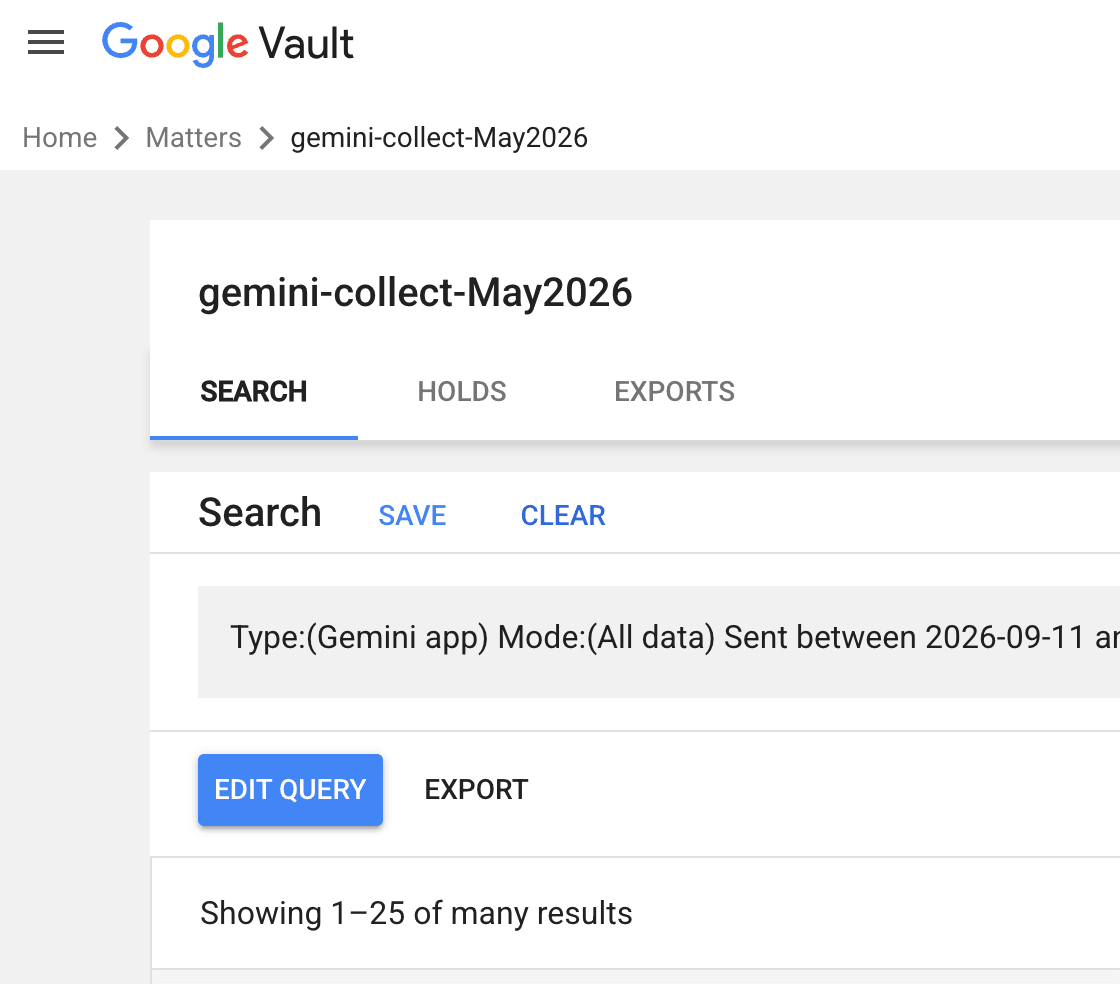
Step 1: Sign in and open a matter
Navigate to vault.google.com and sign in with an account that has Vault privileges. If you have already created a matter for your eDiscovery or AI governance project, click Matters and select it. Otherwise, create a new matter to group your searches, holds, and exports.
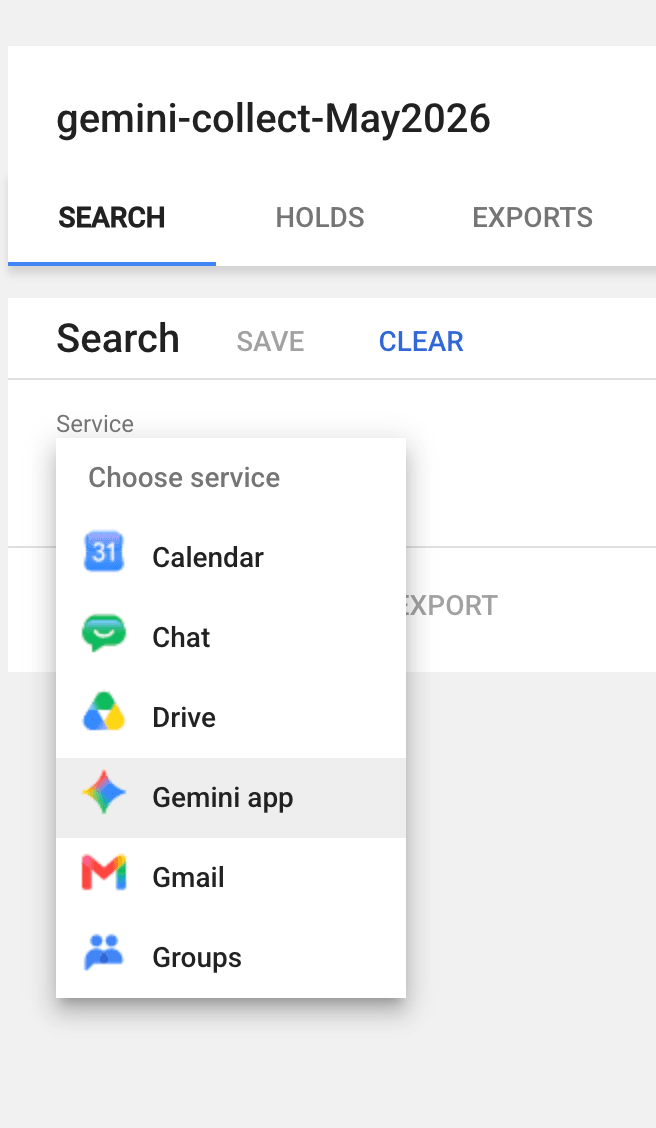
Step 2: Choose the Gemini app service
Under the Search tab, open the Service dropdown and select Gemini app. The service list also includes Calendar, Chat, Drive, Gmail, and Groups, but for AI conversation audits you want Gemini app specifically
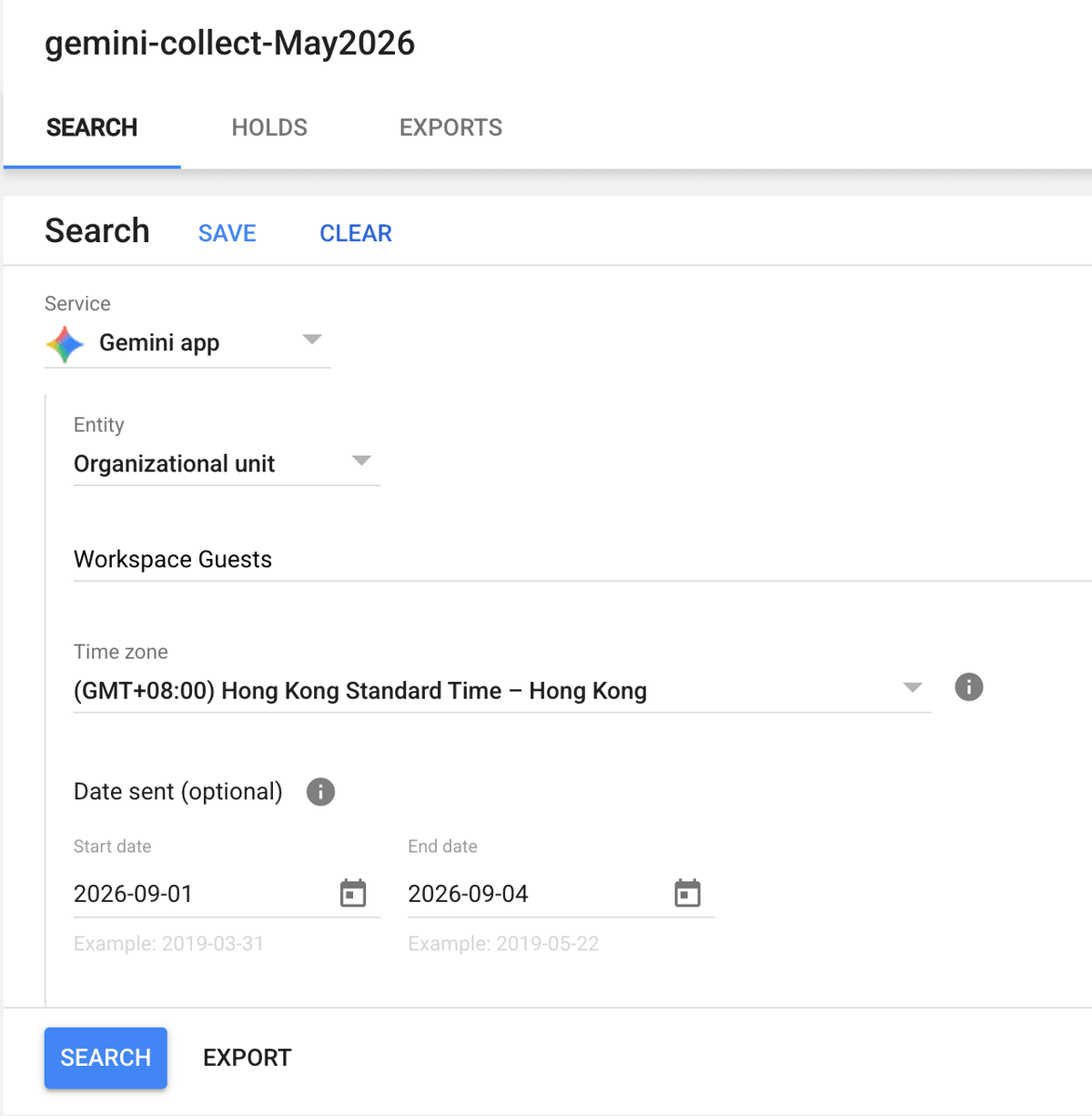
Step 3: Define the search scope
Choose the entity to search. You can enter up to 5,000 specific email addresses, or select an organizational unit. If the OU contains sub‑OUs, the search includes accounts in both the parent and child units[reference:9]. Select the correct time zone, then optionally set a Date sent range to narrow the results to a specific period—for example, a regulatory reporting quarter or the window of an internal investigation.
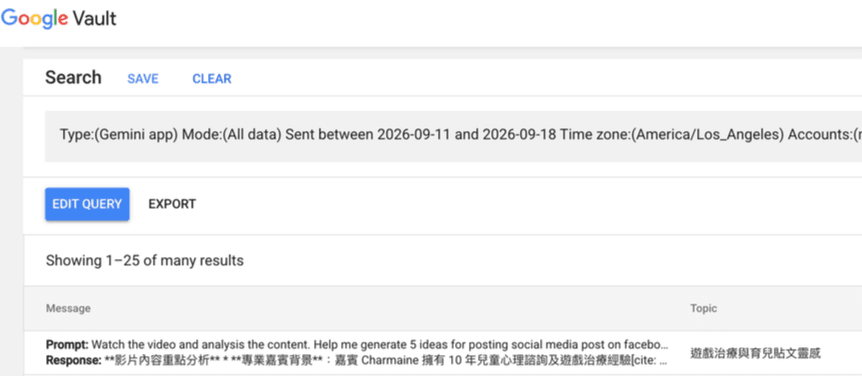
Step 4: Run the search and review results
Click SEARCH. Vault returns matching prompt‑and‑response pairs in reverse chronological order. Each row shows the message content (truncated in the list view), the conversation topic, the owner’s email address, and the date and time.
To provide context, Vault includes messages sent within 12 hours before and after each matching prompt or response in the same conversation. This is important for governance review: a prompt that looks innocuous in isolation may be part of a multi‑turn conversation that changes its meaning.
Search results in Vault. The query was for Gemini app data sent between 11 and 18 September 2026. Results show prompt/response previews, conversation topics, owners, and timestamps.
Step 5: Export the results
Once you have refined the search to the relevant scope, click EXPORT. Vault creates an export task that packages the matching conversations in XML format. You can also export supporting files such as an error log and a result‑count CSV.
The Create export dialog. Name the export, choose a data region if your organization requires one, and select XML as the format. Note the warning that exports are deleted 15 days after creation.
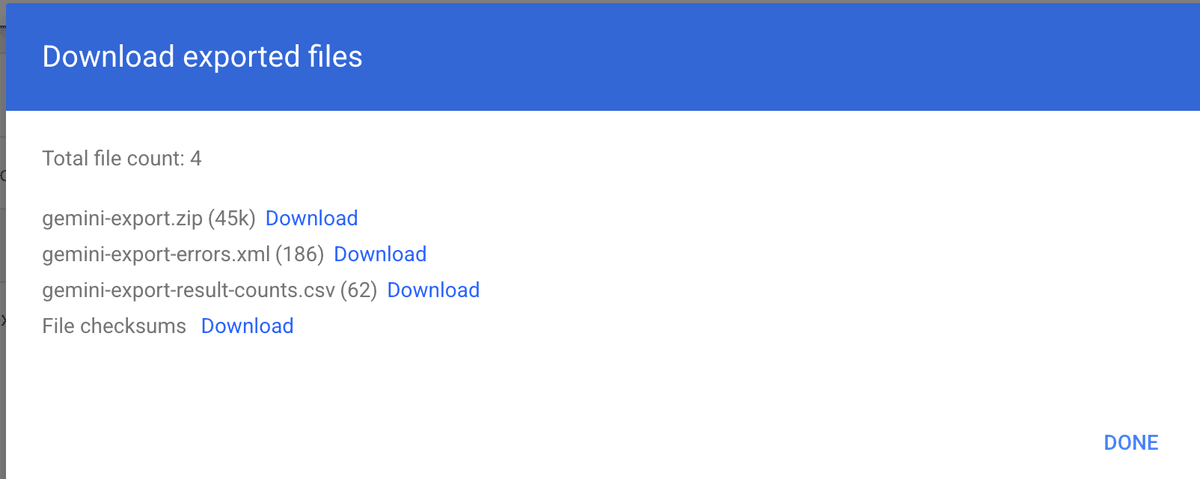
After the export completes, Vault presents a download page with the generated files.
Retention Rules and Litigation Holds: The Long‑Term Governance Picture
Search and export are reactive: they help you find data when you already have a reason to look. Retention rules and holds are proactive: they determine whether the data still exists when you need it.
Default and custom retention rules
Vault allows administrators to set default retention rules for Gemini app data across the domain, or custom rules by organizational unit. Retention periods can be finite (for example, seven years) or indefinite. For AI governance, this is the mechanism that ensures Gemini conversations are not silently deleted by a user’s “off” activity setting or by a default Admin console cleanup policy.
One practical warning from Google’s documentation: do not set a hold on the top organizational unit. Doing so prevents you from deleting any Workspace accounts from the organization.
Scope limitation: Gemini app vs. Gemini in Workspace
A crucial distinction for governance design: Vault’s retention and hold capabilities apply specifically to the Gemini app (web and mobile). They do not apply to Gemini features embedded in other Workspace applications, such as “Help me write” in Gmail or Docs, because those interactions are not retained in the same manner.
Why This Matters for AI Governance
AI systems are becoming more capable, more autonomous, and more deeply embedded in workflows—while the security and governance controls around them lag behind. Vault’s Gemini support does not solve that problem, but it addresses a foundational requirement: the ability to reconstruct what happened.
Vault gives administrators a defensible, centralized mechanism to:
- Search Gemini conversations by user, OU, and date range.
- Export conversations in a format suitable for legal review.
- Retain conversations for defined periods or indefinitely.
- Place litigation holds that survive user deletion and admin cleanup settings.
What Vault does not do is tell you what to look for, how often to look, or which conversations represent a governance risk. That work belongs to the organization. A search query is only as good as the policy that defines it. A retention rule is only as useful as the regulatory obligation it maps to. An export is only as defensible as the chain‑of‑custody process around it.